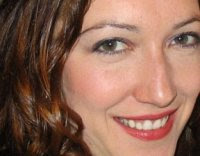
I've always had an interest in colorizing black and white photographs so I decided to explore that for this assignment. (I know Dr. Robin doesn't like us to turn this into our family scrapbook, but I couldn't help it on this one.)
For the first one, I took a picture of my daughter and decided that the yellow dress was too overpowering. I made a duplicate layer in Photoshop and created a black and white layer mask. By using various brushes and opacities, I erased sections of the layer mask to allow the color from the original layer to show through. I highlighted her skin, eyes, and the flower and petals. I then added a layer on top of all that that only had a transparent complementary violet layer to create a more interesting background.
 For my second image, I chose a scanned photograph of my grandmother. I did the opposite effect here. On a new layer in Photoshop, I used various brushes and opacities to actually color or paint the image. I stayed true to her actual hair color and skin tone, but played around with green and purple to colorize the flower in her hair. I also added aqua to the blazer and used a couple tints and shades of pink for her blush and lipstick. I decided to tint the background with a pale blue to enhance and contrast to the warmness of her skin and to go with the other cool colors I had chosen to use. This was fun to work on and I can't wait to show my mom. Maybe I can print it and turn it into a Christmas present.